Piano Cat: Music Games
- 4.3
- Rating
- 50.00K
- Installs
- Free
- Price

 Analysis by App-foxy
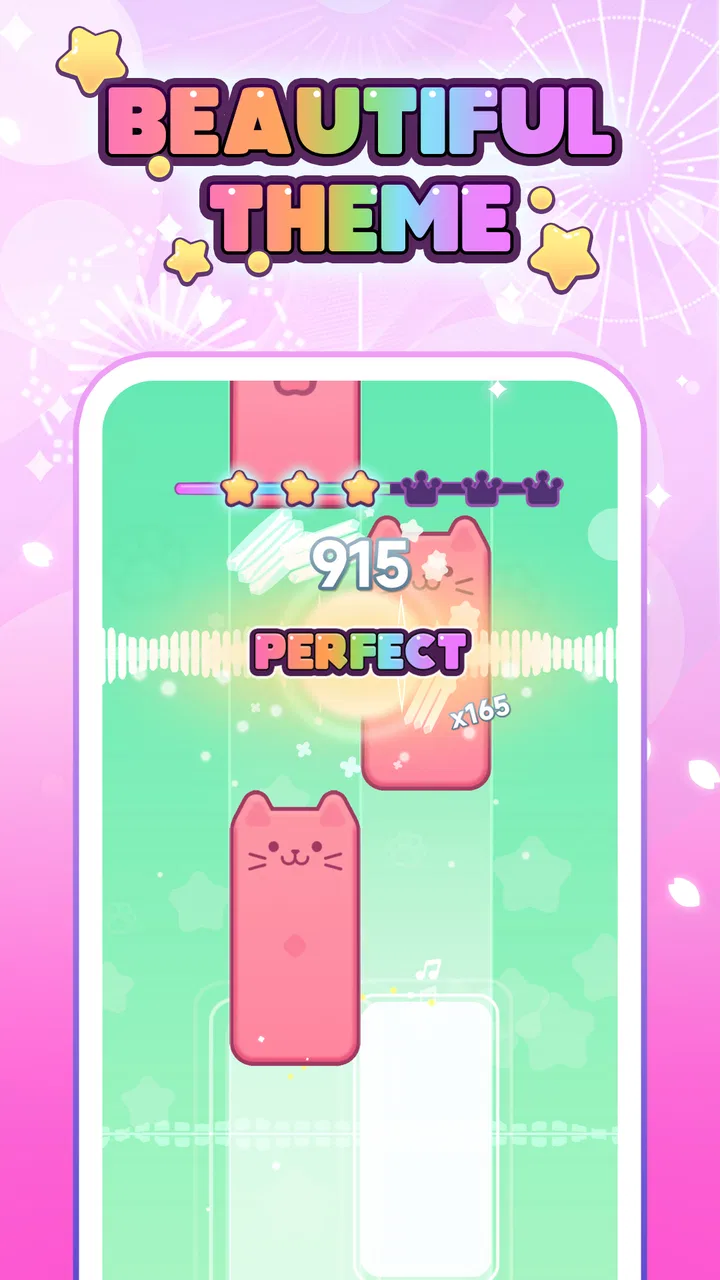
I went into Piano Cat: Music Games expecting a small, cheerful tapping game, and that is exactly where its appeal lies. It turns piano-style play into a simple rhythm challenge built around cute cat tiles, so the first few minutes are easy to understand even if you do not usually play music games. The idea is approachable: watch the pattern, tap at the right moment, and keep your attention on the song rather than learning a complicated control system.
That simplicity makes it a comfortable choice for short breaks. I can imagine opening it while waiting for an appointment, taking a few rounds during a commute, or handing it to someone who wants a casual game without a long tutorial. It is a free music game from Agile Lion Games, aimed at Everyone, and its main attraction is not depth in the traditional rhythm-game sense. Instead, it offers a light, friendly way to interact with piano songs through quick taps.
How I played and what makes the basic loop work
The best way to approach the game is to treat each session as a short concentration exercise. I start with the easiest song or pattern available, keep my eyes near the next group of tiles, and resist the temptation to stare at the tile I have just tapped. That small change in focus matters. Looking ahead gives me more time to recognize the rhythm and stops the game from becoming a series of rushed reactions.
You May Also Like

 AccuWeather: Weather Radar
AccuWeather Review: A Quick, Clear Forecast for Everyday Decisions
For everyday plans, the best forecast is the one you can understand quickly. AccuWeather makes rain timing, radar, and local conditions easy to act on, with a few trade-offs.

 Hill Climb Racing
Why Hill Climb Racing Still Turns Crashes Into One More Run
A tiny car, a bumpy hill and one more upgrade: Hill Climb Racing keeps resurfacing because its simple chaos makes every near-miss feel personal.

 AliExpress - Shopping App
AliExpress Makes Global Shopping Feel Personal, but Shoppers Bear the Risk
AliExpress turns a global marketplace into a pocket-sized discovery engine. Its reach is useful, its shopping loop compelling, and its trade-offs easy to miss.

 Lords Mobile: Kingdom Wars
Lords Mobile Is a Kingdom-Building Routine, Not a Quick Match
A case-by-case verdict on the building, battles, device demands, and social commitments that make Lords Mobile rewarding for some players and exhausting for others.

 PDF Scanner app - TapScanner
TapScanner Makes Paperwork Easier to Capture, Check, and Share
TapScanner makes scanning with a phone feel less like a rescue operation and more like a dependable step in getting work done. Its capture tools are useful, though not flawless.

 Block Blast!
 Shows How Much a Puzzle Game Can Leave Out
A quiet grid game shows why puzzle players increasingly value instant clarity, repeatable skill and low-pressure play—and where the genre still needs to catch up.
More From Our News Desk
View All News


The cat theme also changes the mood compared with a more serious piano simulator. I do not feel as though I am practicing an instrument or being judged by a strict music teacher. The presentation is playful, which makes mistakes easier to shrug off. That is useful for younger players and for adults who want a relaxing diversion rather than a demanding test of musical accuracy.
In everyday use, I found the game works best in compact sessions. A few attempts are enough to feel progress, while a long session can become repetitive if I am looking for a large amount of new content or a deep progression system. This is not a substitute for a full rhythm game with elaborate modes, nor is it a piano-learning tool. Its strength is the immediate loop: open it, choose a song, tap along, and stop when the short break is over.
The offline focus is particularly practical. I can use it in places where I do not want to depend on a connection, such as on a plane, in a waiting room, or in a room with unreliable reception. That does not make the game more complex, but it makes it easier to keep installed as a dependable time-filler. If you want a game that requires online events, social competition, or constant updates to stay interesting, this will feel limited. If you want something available without planning ahead, it fits better.
One useful habit is to separate “learning” attempts from “score” attempts. On the first run, I pay attention to where the pattern changes and accept that I may miss a tile. On the next run, I use that memory to look farther ahead and keep my tapping smoother. This is more effective than repeatedly restarting in frustration, because the game’s simple controls reward visual preparation more than frantic finger speed.
Settings and small choices that affect comfort
Before settling into regular play, I recommend checking the available in-game settings rather than immediately starting song after song. The most important practical question is how the game feels on your particular phone: screen brightness, touch response, sound level, and whether you are comfortable holding the device in your usual position. These are not glamorous adjustments, but rhythm games expose small inconveniences quickly.
I prefer a moderate volume level, especially when playing in public, and I keep the device steady instead of tapping while it is moving in my hand. A stable grip makes the tiles easier to follow and reduces accidental touches near the edges of the screen. If the interface feels visually busy, lowering distractions around the phone itself can help more than trying to tap faster. A clean screen and a comfortable posture are surprisingly valuable in a game built around timing.
Sound is helpful because it gives the taps a stronger sense of rhythm, but I would not rely on audio alone. In a noisy environment, the visual pattern has to carry most of the session. I use the music as confirmation and the tiles as my primary guide. That approach also makes the game more accessible when I need to play quietly, although the experience naturally feels less musical without audible feedback.
Another useful check is whether the current display orientation and touch position suit your hands. Players who use one hand may find it easier to keep the phone lower and tap with the thumb, while two-handed play can feel more controlled during faster passages. Neither approach is automatically better. The right choice depends on whether you prioritize relaxed play or precise repeated taps.
The game is rated for Everyone, which matches its friendly presentation and straightforward interaction. Even so, I would still supervise very young children during longer sessions, not because the game is difficult to understand, but because repeated tapping can encourage them to hold the device too close or play for longer than intended. For families, short turns work better than treating it as an unlimited activity.
Patterns that help you play more smoothly
Experienced rhythm-game players will recognize that speed is only one part of the challenge. The more useful skill here is pattern recognition. Instead of treating every cat tile as an isolated target, I group nearby tiles into small visual phrases. I watch whether the sequence moves steadily, pauses, or changes direction, then let my hand follow that shape. This reduces the mental effort of processing every tap separately.
I also avoid chasing a missed tile after the mistake has already happened. Trying to compensate with a frantic tap often causes a second error. A better recovery is to rejoin the next clear pattern and rebuild the rhythm. That habit is transferable to many casual music games, but it feels especially important here because the controls are so simple: when the only action is tapping, poor recovery becomes the main source of unnecessary frustration.
For a repeatable routine, I use three stages. First, I play once without worrying about performance, simply to understand the song’s movement. Second, I replay while concentrating on the transitions where my attention slipped. Third, I make one clean attempt and stop if I am only repeating the same mistake. This keeps the game from turning into an exhausting loop and gives each attempt a clear purpose.
Short sessions also help with accuracy. When I play for too long, I begin tapping from expectation rather than observation. I think I know what comes next, move early, and lose the sequence. Taking a brief pause resets my attention. For this reason, the game suits a “two or three rounds, then pause” habit better than an extended marathon.
Players who already enjoy piano-tile games may want to use it as a warm-up. It is gentle enough to get your eyes and fingers moving before switching to a more demanding rhythm title. The trade-off is that it may not challenge experienced players for very long. Its accessible design is a strength for newcomers, but advanced players may quickly want denser patterns, more detailed scoring, or a broader set of competitive goals.
There is also a practical distinction between playing with a fingertip and playing with the pad of the thumb. A fingertip can feel more precise for narrow targets, while a thumb is comfortable for casual one-handed use but may cover more of the screen. I use the fingertip when trying to improve a run and the thumb when I am simply passing time. That small change makes the same game feel either more deliberate or more relaxed.
Where the simple design begins to show its limits
The game’s low barrier to entry is also its main limitation. If you are searching for a serious piano-learning experience, this is not the right tool. Tapping tiles can improve attention to timing, but it does not teach fingering, reading notation, hand independence, or how to play a real keyboard. I would choose a dedicated learning app for those goals and keep this one for entertainment.
It is also not ideal for someone who needs a large competitive ecosystem. Players who enjoy rankings, multiplayer matches, elaborate unlock systems, or detailed performance analysis may find the experience too light. The appeal comes from repetition and immediate play, not from building a complex long-term profile. That distinction is worth understanding before installing it, especially if you normally judge music games by their depth rather than their accessibility.
Even for casual players, repetition can eventually become noticeable. The basic action remains tapping cat tiles to follow piano songs, so the novelty depends heavily on how much you enjoy that loop. I would not recommend expecting a constantly changing adventure. Instead, think of it as a compact collection of rhythm exercises with a cute visual identity.
Device comfort can become another source of friction. A small screen gives less room to anticipate the next tile, while a large phone may be awkward for one-handed play. Touch accuracy also depends on how cleanly and consistently you tap. When a run goes badly, I first check my grip and attention before blaming the game. Still, anyone who dislikes touch-only controls should know that there is no alternative input style to make the experience feel more like a traditional piano.
The current version is 0.1.5, so I view the game as an early, compact experience rather than a fully expansive music platform. That does not make it unusable; it simply sets the right expectation. I would install it for the pleasant core loop and judge it on whether that loop remains enjoyable, not on whether it replaces larger rhythm titles.
Who should install it, and who should choose something else
I would recommend it to someone who wants a free, easy-to-start game with a musical theme and a friendly cat presentation. It is particularly suitable for short offline sessions, first-time rhythm-game players, children playing with an adult nearby, and anyone who prefers learning a game through immediate interaction instead of reading long instructions.
It is also a good fit for people who like gentle repetition. You can replay a song, notice where your attention breaks, and gradually make your taps more consistent. That feeling of improving through familiarity is modest but satisfying. The game does not need a complicated reward structure to make a better run feel worthwhile.
I would steer serious rhythm-game fans toward a deeper alternative if they need demanding charts, extensive customization, or a strong competitive reason to return every day. I would also choose a real piano-learning app for anyone hoping to develop musical technique. The distinction is simple: this game lets you play with the idea of piano music, while a learning app teaches you how to perform it.
For parents deciding whether it is suitable for a child, the Everyone rating and uncomplicated concept are reassuring, but I would still establish short play periods. For commuters and travelers, the offline design is more important than the cute theme because it means the game can remain useful when connectivity is inconvenient. For adults, the question is mainly whether a small, repeatable rhythm loop sounds relaxing or too limited.
My final take after settling into the rhythm
Agile Lion Games has made a focused little music game rather than an oversized platform. The cat tiles give the familiar piano-tapping idea a softer personality, and the offline play makes it practical for spare moments. I like that I can understand the interaction immediately, then improve by watching patterns instead of memorizing a complicated control scheme.
The public response is encouraging, with a 4.3 average from 56 ratings and more than 50 thousand installs, but I would treat those figures as context rather than a promise that it will suit everyone. The game is free, and that makes experimenting with it easy. Its age rating is Everyone, and the minimum operating-system requirement is Android 7.0, so it is accessible to many Android users with older devices.
My strongest recommendation is to approach it with realistic expectations. Use it as a quick rhythm break, an offline time-filler, or a gentle introduction to piano-tile games. Check the settings, keep your phone steady, look ahead rather than down at each individual tap, and take short pauses when your attention starts to drift. Those habits bring out more of what the game offers than simply tapping faster.
The best reason to try Piano Cat: Music Games is its frictionless, cheerful rhythm loop. The best reason to skip it is that the same simplicity may feel shallow if you want advanced musical training or a long-term competitive challenge. For me, it succeeds as a small, approachable game that is easy to pick up and easy to put down, which is exactly what I want when I have a few quiet minutes and no internet connection.
FAQs for Piano Cat: Music Games
01What is Piano Cat: Music Games?
Piano Cat: Music Games is a casual rhythm game in which you tap piano keys in time with songs while following an adorable cat-themed presentation. The gameplay is designed to be easy to understand, making it suitable for short sessions and players who enjoy music challenges. As songs become faster and more demanding, accuracy and concentration become increasingly important.
02How do you play Piano Cat: Music Games?
The main objective is to tap the correct piano keys as notes appear on the screen, matching the rhythm of the selected song. Missing notes, tapping too early, or pressing the wrong area can affect your performance. Starting with slower or easier tracks is helpful for learning the timing, while advanced songs require quicker reactions and consistent attention.
03Is Piano Cat: Music Games suitable for children and beginners?
The game is generally approachable for beginners because its basic controls are simple and do not require previous musical experience. The colorful cat theme and short levels may also appeal to younger players. However, parents should review the app’s age rating, advertising, in-app purchase options, and privacy information before allowing children to play, especially on a shared device.
04Does Piano Cat: Music Games require an internet connection?
Internet requirements can depend on the version installed and the feature being used. Basic gameplay may be available offline in some situations, but advertisements, updates, online rewards, song downloads, or other connected features may require an active connection. It is best to test the game after installation and check its permissions and store description for the latest details.
05Is Piano Cat: Music Games free to download and play?
Piano Cat: Music Games may be available as a free download, but free access does not necessarily mean that every feature is completely unrestricted. The app can include advertisements, optional purchases, extra songs, cosmetic items, or systems that limit progress until rewards are earned. Before downloading, review the current store listing and purchase information to understand the full cost.
Pros
- Simple piano gameplay suitable for quick
- casual sessions.
- Cute cat theme gives the game a playful and friendly identity.
- Short songs make it easy to play without a large time commitment.
- Responsive touch controls feel natural on most mobile screens.
- Progressive challenges can help maintain interest over repeated plays.
Cons
- Some songs or features may require in-app purchases to unlock.
- Gameplay can become repetitive after extended sessions.
- Fast note patterns may feel difficult for younger players.
- Frequent advertisements may interrupt the playing experience.
- Limited customization may disappoint users seeking deeper music options.

Piano Cat: Music Games
Gallery